


APA table format is one of the most common problems students face when preparing academic papers. Many students know how to insert a table, but they are not always sure how to number it, title it, introduce it in the text, or explain the results. As a result, tables often look disconnected from the paper and do not help the reader understand the analysis.
A well-prepared table helps the reader understand the information more easily. A poorly prepared table, on the other hand, may confuse the reader and reduce the academic quality of the paper. This article explains how to prepare tables correctly and how to avoid the most common mistakes. If you are still getting familiar with the wider conventions, it helps to review what a research paper involves before focusing on tables.
1. Give every table a clear number and title
Every table should have a number and a clear title. The title should explain what the table presents. It should not be vague, too long, or confused with information about the source.
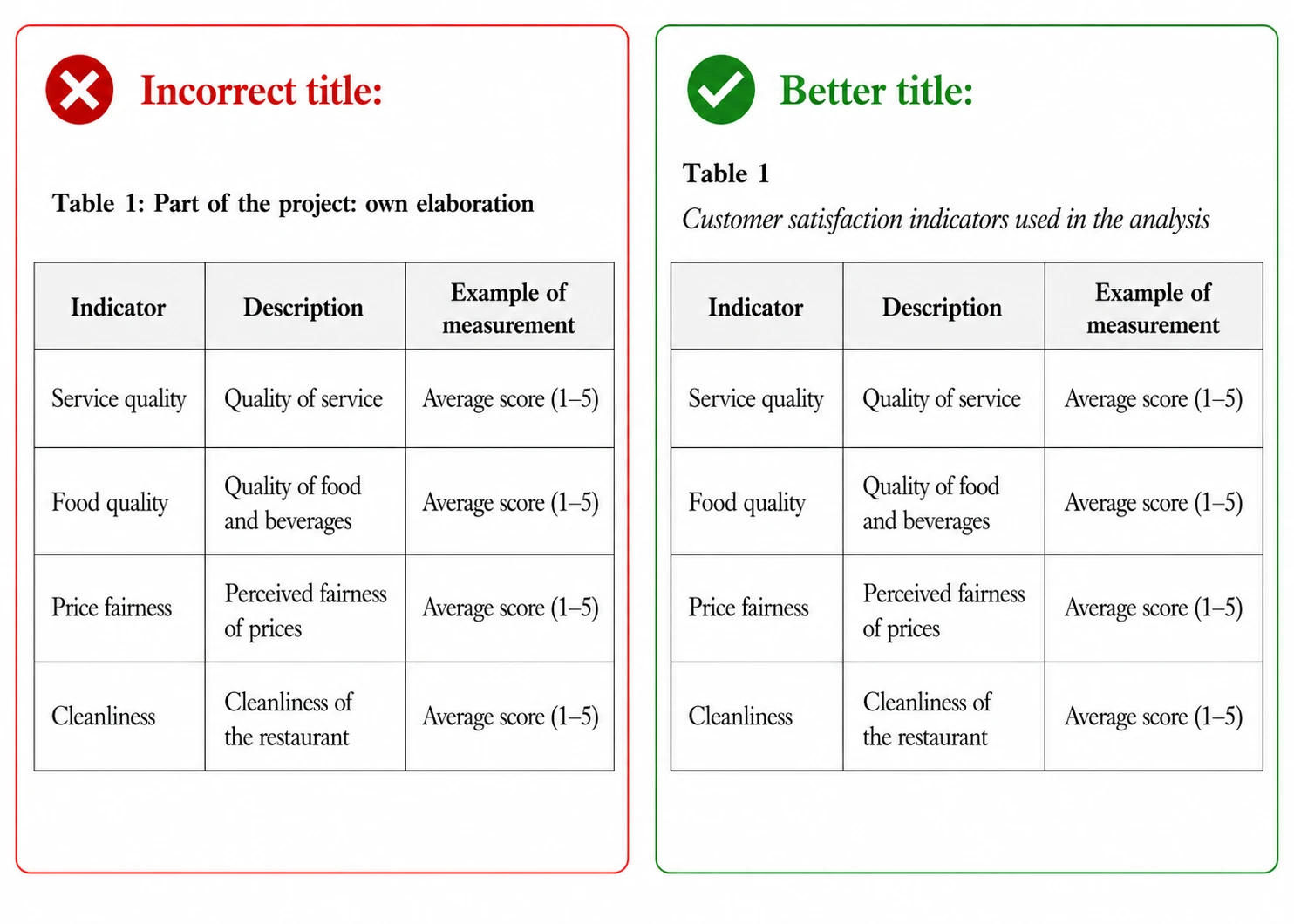
Do not confuse the title with the source
Some students include information such as “own elaboration” in the title of the table. This is not correct. The title should describe the content of the table, while the source should be placed below the table.
2. Do not start a section with a table
A common mistake is to begin a chapter or section directly with a table, without any short introduction. This makes it difficult for the reader to understand why the table is important. Before inserting a table, write one or two sentences explaining what the table shows and why it is included.
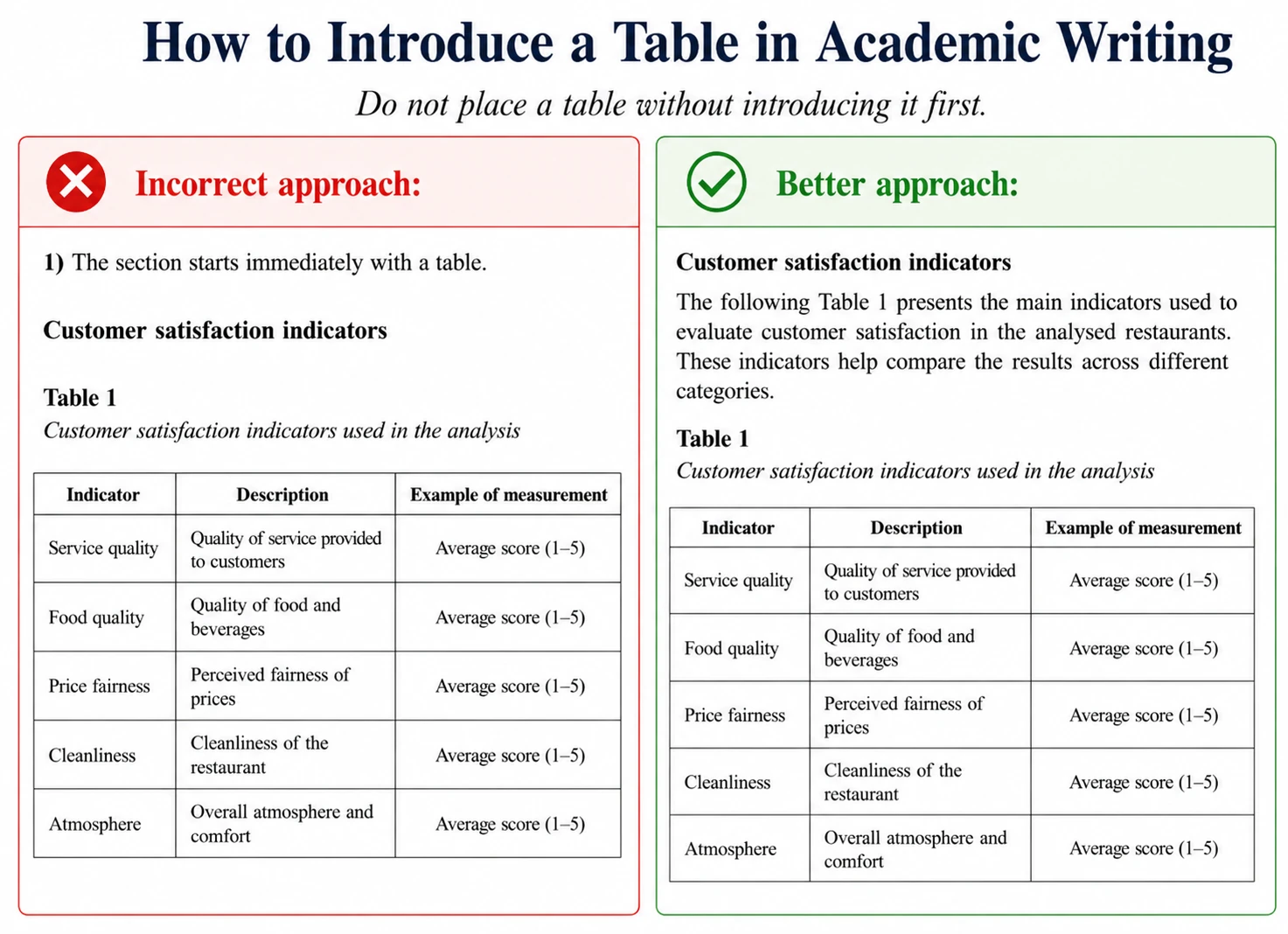
IMPORTANT: In APA Style, when referring to a specific table in the text, write Table with a capital letter.
3. Refer to the table in the text
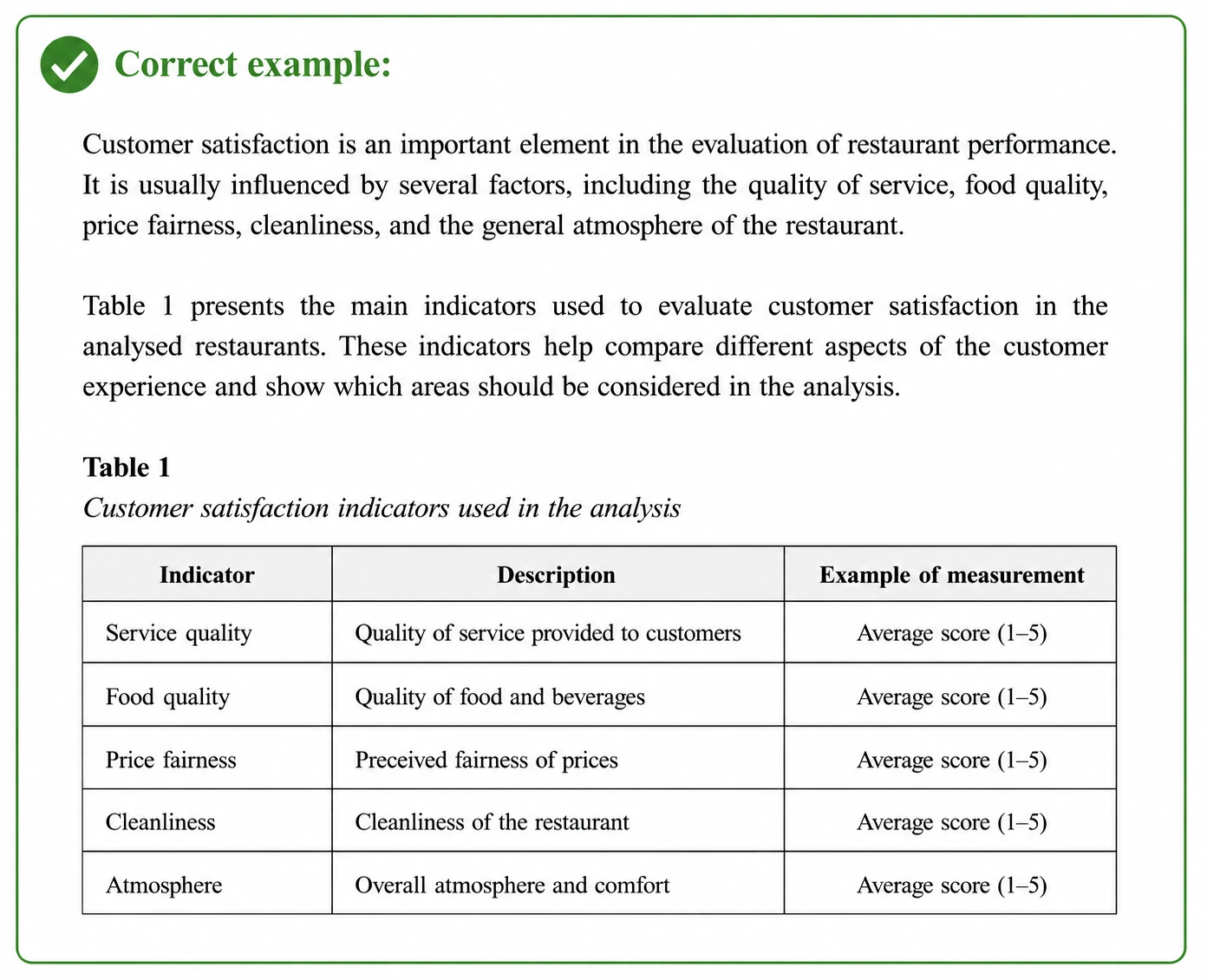
Another common mistake is to include a table but never mention it in the text. If a table appears in an academic paper, it should be introduced and discussed. If you present a table, do not leave it without reference. Use expressions such as “as shown in Table 1”, “Table 1 presents…”, or “the results in Table 1 indicate…”. This should be done whenever you want the reader to look at the table and connect it with your discussion.
4. Interpret the table, do not only insert it
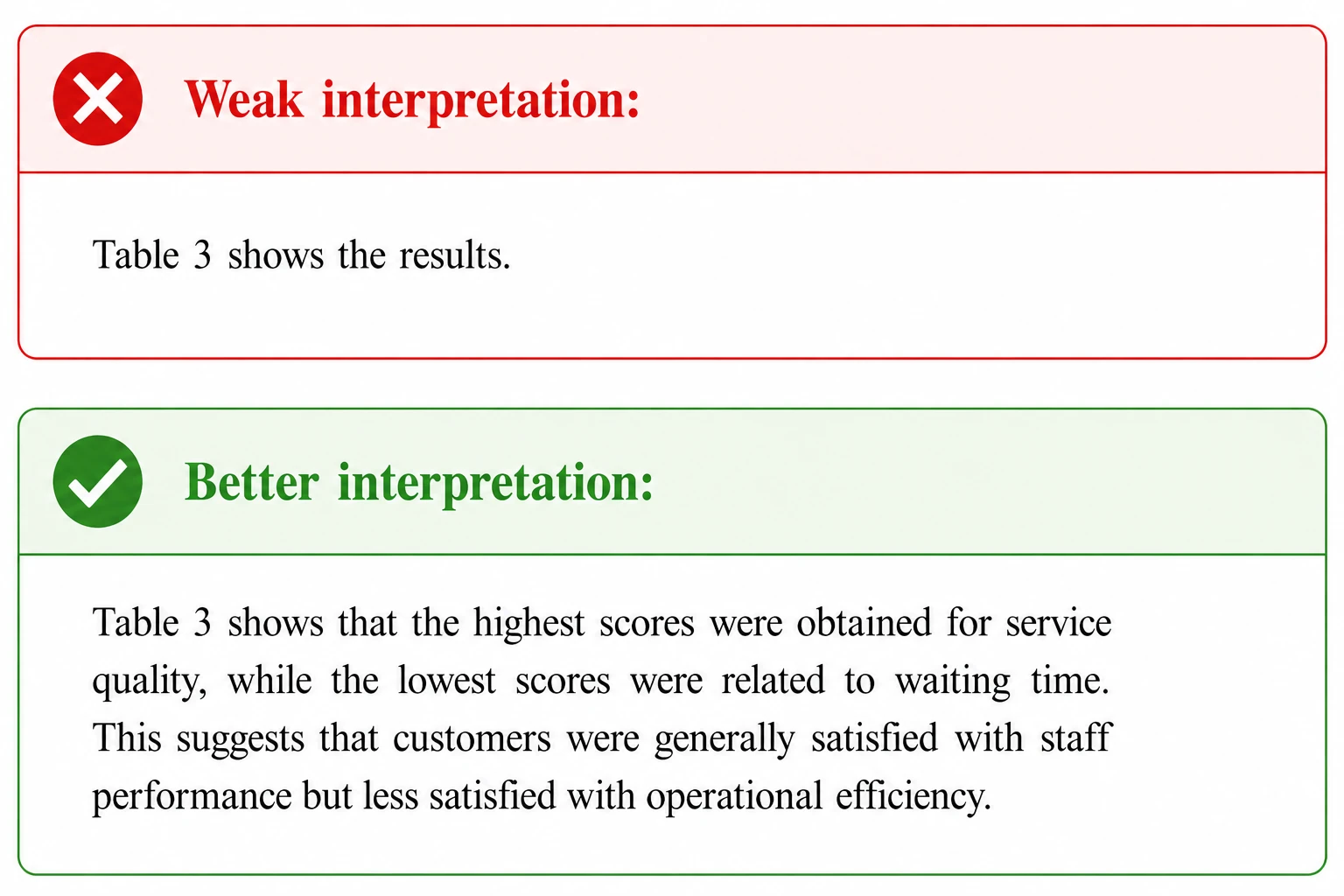
A table is not a replacement for analysis. Students often include tables or graphs but do not explain what the data mean. This weakens the academic value of the work.
After each important table, add a short interpretation. You do not need to repeat every number from the table. Instead, explain the most important pattern, comparison, or result.
5. Use simple and readable formatting
Tables should be easy to read. Avoid too many lines, colours, or unnecessary visual effects. The purpose of a table is clarity, not decoration.
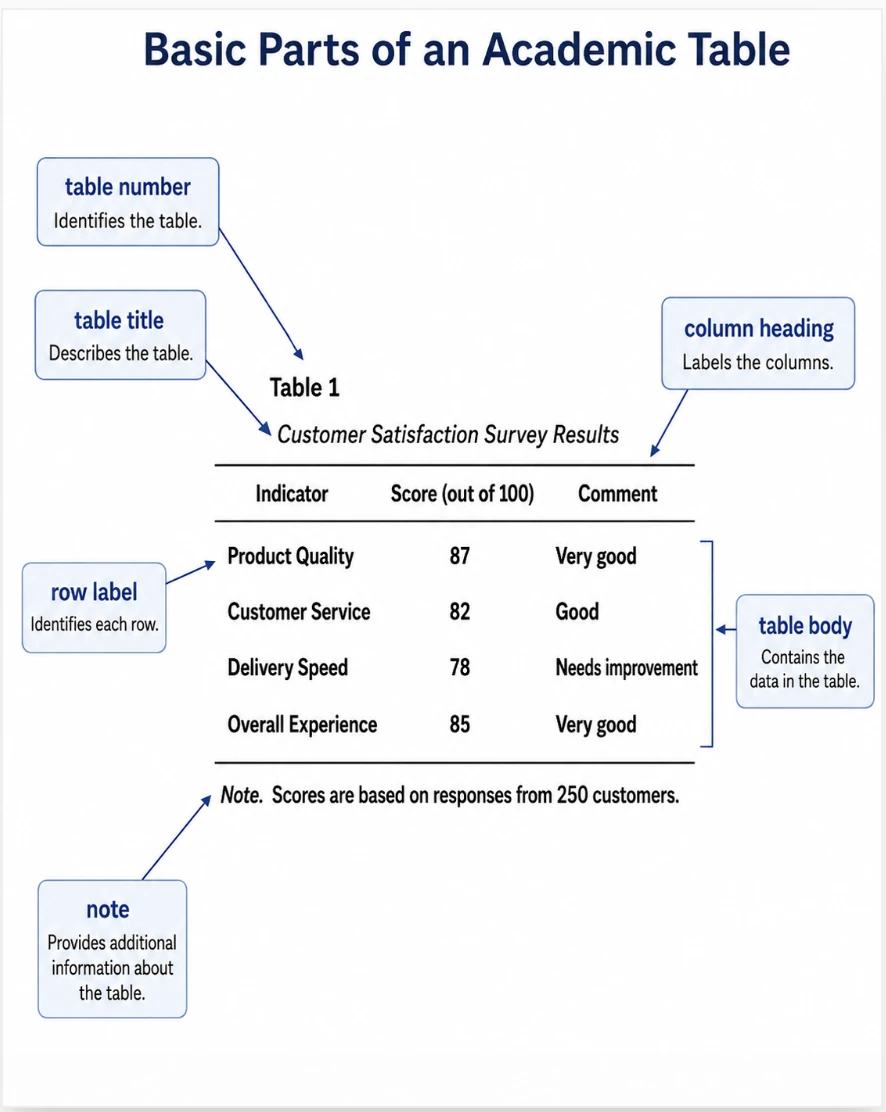
A good academic table should usually include:
- a table number;
- a short and clear title;
- column headings;
- readable data;
- notes below the table if needed;
- the source of the data, if the table is based on external information.
Source of the Table
If a table is created by the author and presents the author’s own data, analysis, or classification, it is not necessary to add a separate source below the table. In this case, the table is treated as the author’s own work.
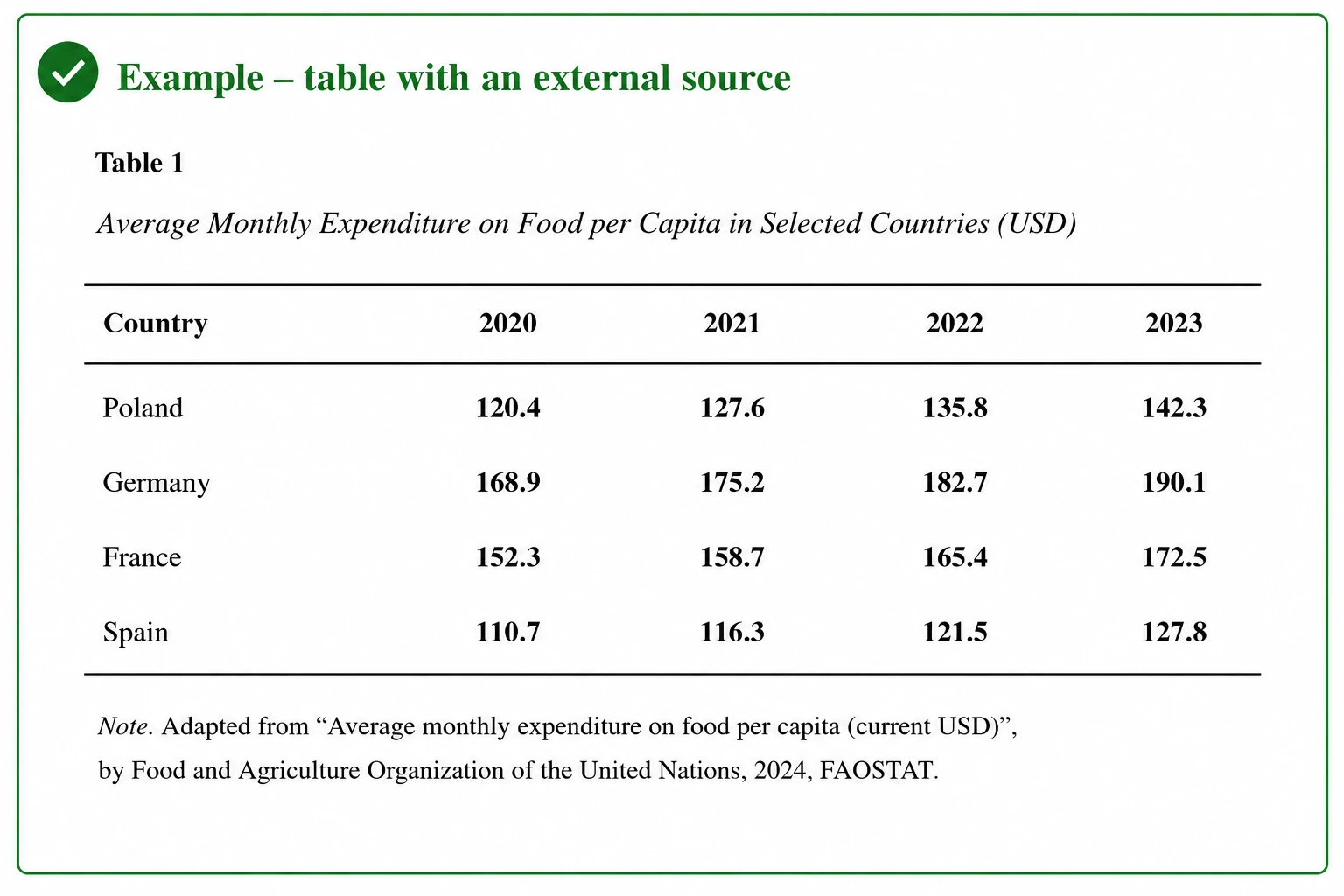
However, if a table is copied, reprinted, or adapted from another source, this information must be clearly indicated below the table. In APA Style, this is usually done in a note attached to the table. The note should inform the reader whether the table was taken directly from another source or modified by the author.
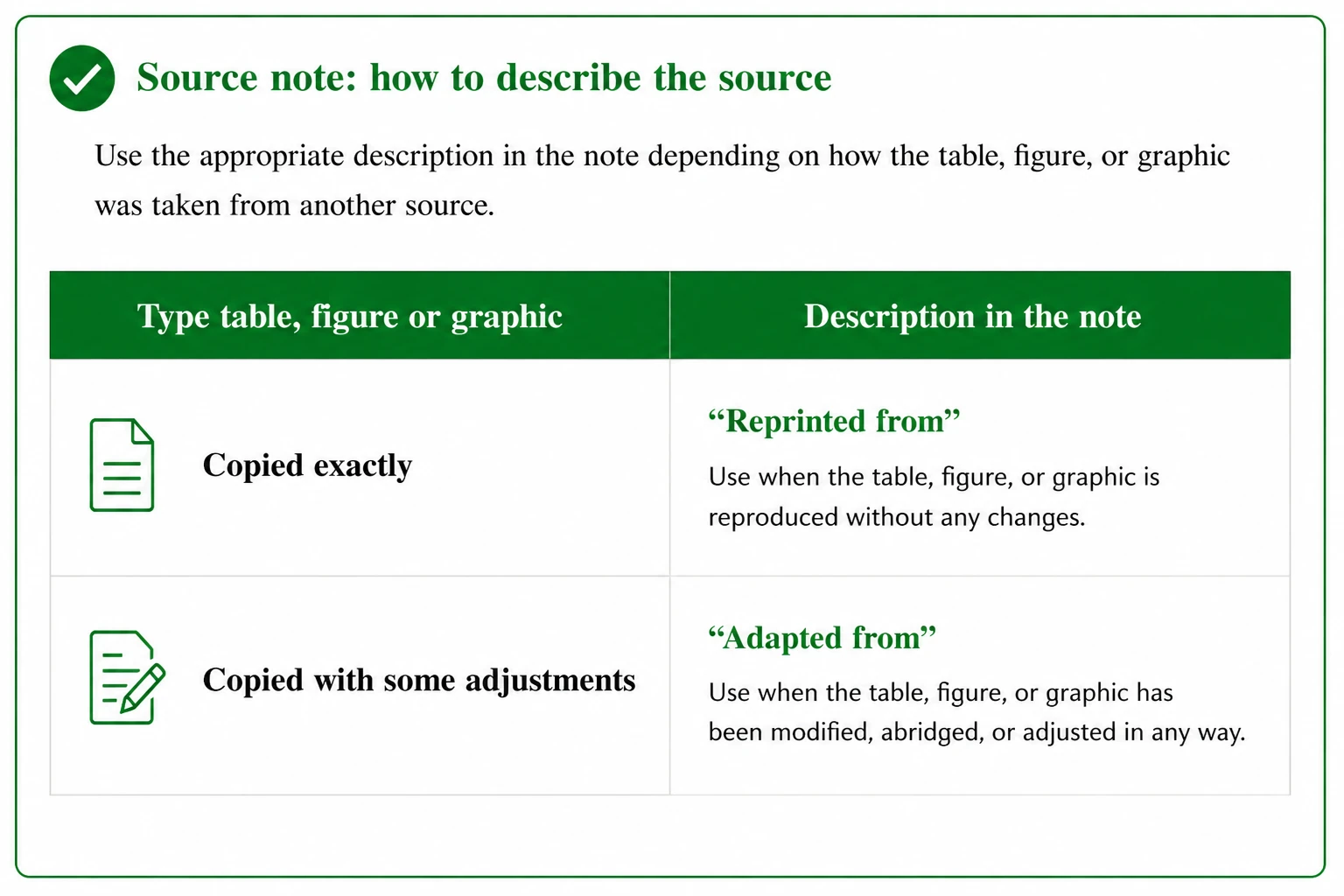
If the table is copied without changes, use From. If the table is modified or adapted, use Adapted from.
IMPORTANT: The full source should also be included in your APA reference list.
Checklist before submitting your paper
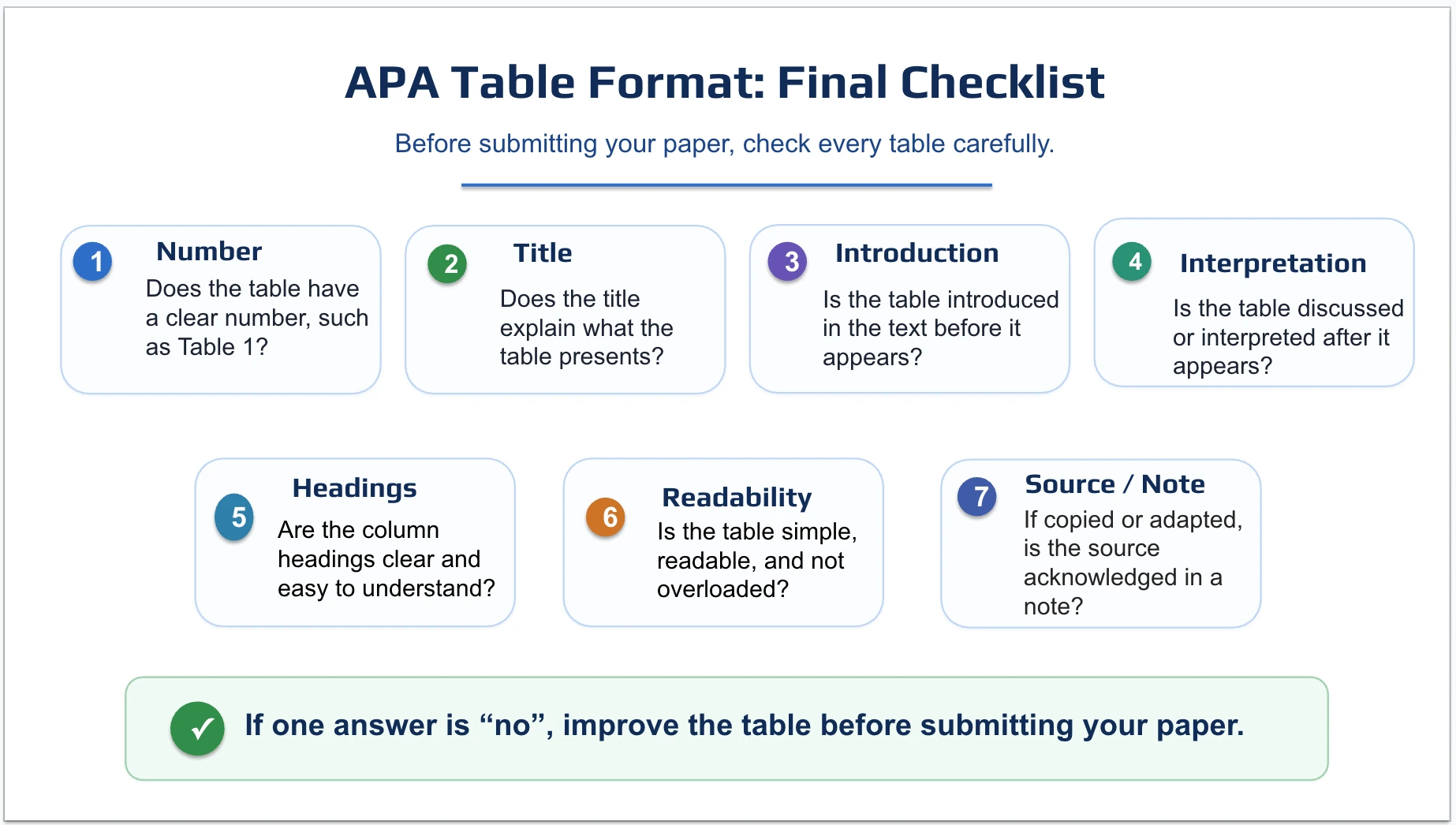
Before submitting your paper, check every table carefully.
- Number: does the table have a clear number, such as Table 1?
- Title: does the title explain what the table presents?
- Introduction: is the table introduced in the text before it appears?
- Interpretation: is the table discussed or interpreted after it appears?
- Headings: are the column headings clear and easy to understand?
- Readability: is the table simple, readable, and not overloaded?
- Source / Note: if copied or adapted, is the source acknowledged in a note and added to the reference list?
If one answer is “no”, improve the table before submitting your paper.